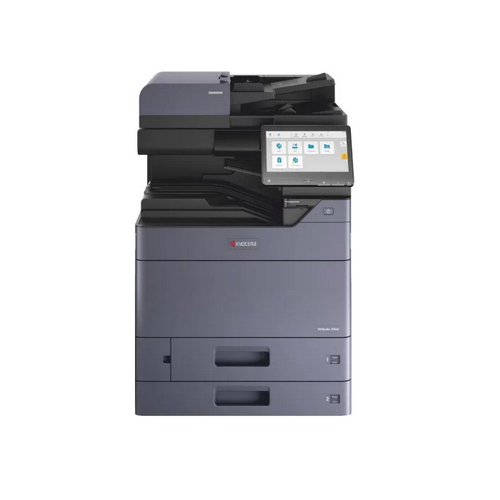
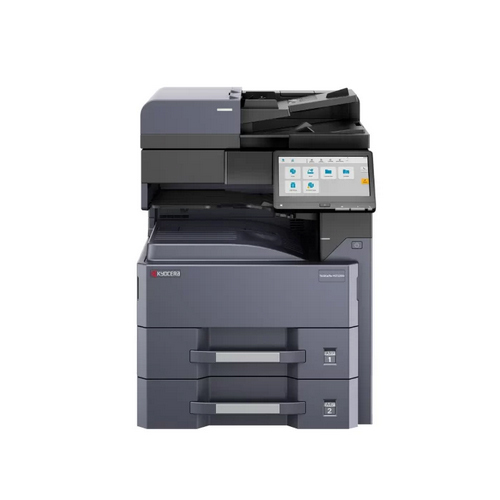
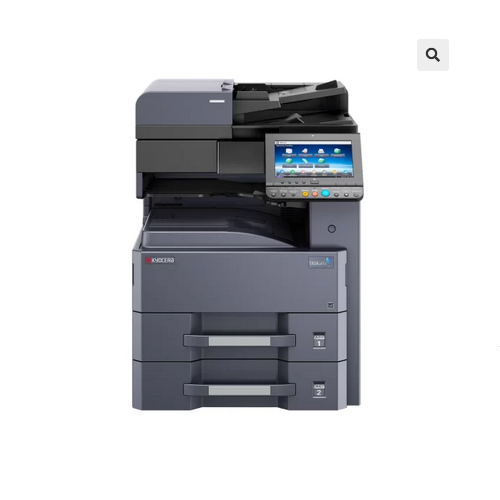
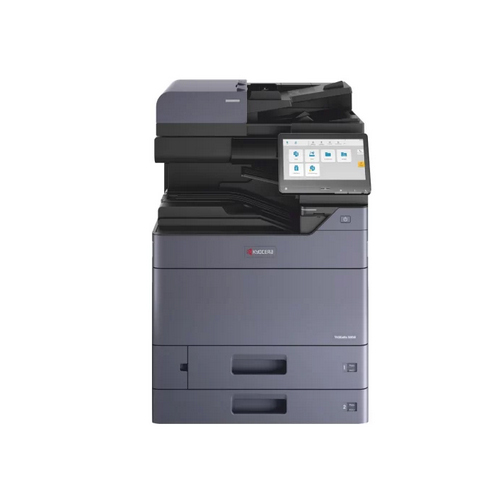
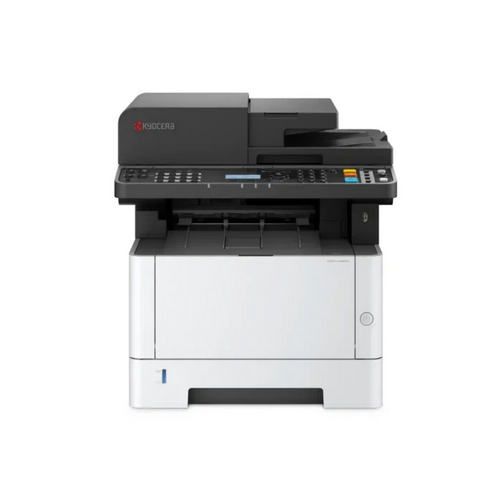
Kyocera Ecosys MA4000fx Multifunction Printer

Kyocera Ecosys MA4000fx Multifunction Printer

Price 42480 INR/ Unit

MOQ : 1 Unit

Kyocera Ecosys MA4000fx Multifunction Printer Specification

  • Print Technology
  • Laser exposure dry electrostatic transcription
  • Connectivity Type
  • USB, Ethernet
  • Install Type
  • Desktop
  • Production Output
  • Max 150 sheets output
  • Usage & Applications
  • Office, business
  • Scanning Resolution
  • 600dpi, 400dpi, 300dpi, 200dpi, 200x400dpi, 200x100dpi
  • Features
  • Active Directory support, LDAP over TLS, internal address book, Multi-sending, file separation, skip blank pages, continuous scan, digital signature, auto color select, border erase, manual density adjustment, saturation adjustment, text readability improvement, DP auto-cropping
  • Accessory Name
  • Document Processor
  • Display Type
  • 5 lines LCD (128 x 64 Dot)
  • Dimension (L*W*H)
  • 475mm x 412mm x 437mm
  • Memory Size
  • Standard 1GB (Max.)
  • Scan Speed
  • Single Sided: (Mono/Color): 40ipm/23ipm; Duplex: (Mono/Color): 80ipm/46ipm
  • Function Type
  • Copy, Print, Scan
  • Noise Level
  • Copy/Print: 52dB(A); Quiet: 48dB(A); Stand-by: 29dB(A)
  • Paper Size
  • Tray 1: Min. A6R - Max. A4 (Legal); Optional: Min. A6R - Max. A4 (Legal); Bypass/MPT: Min. 70mm x 148mm - Max. A4 (Legal)
  • Power Consumption
  • Copy/Print: 574.4W; Stand-by: 10.8W; Energy Saver: 0.4W
  • Processor Speed
  • ARM Cortex-A53, 1.0GHz
  • Type
  • Multifunction Printer
  • Interface Type
  • USB 2.0, Ethernet, USB Host
  • Color Depth
  • Full color, grayscale, B&W
  • Scan Type
  • Standard (Max 50 sheets one-path duplex scanning Type)
  • Print Speed
  • 40 ppm (A4, Mono)
  • Max Paper Size
  • A4 (Legal)
  • Size
  • Standard office
  • Weight
  • Total 25 kg (Approx. 19 kg main unit only)
  • First Copy Time
  • 6.4 sec or less
  • Print Emulation
  • PCL, Postscript, PRESCRIBE
  • Copy Speed
  • Same as print speed
  • Warm Up Time
  • 19 seconds
  • Paper Capacity
  • 250 + 100 sheets (Standard), 850 sheets (Max)
  • OS Support
  • Windows, Mac, Chrome, Linux
  • Multiple Copy
  • 1-999
  • First Print Time
  • 6.4 sec or less
  • Supported Protocols
  • NetBEUI, FTP, Apple Bonjour, IPsec, SNMPv3, IEEE802.1x, WSD Print
  • Zoom Ratio
  • 25%-400% manual
  • Control Panel
  • LCD display, 5 lines
  • PDL
  • PCL6, KPDL3, PRESCRIBE
  • Address Storage
  • 200 addresses, 50 groups
  • USB Memory Print
  • TIFF, JPEG, PDF, XPS, Open XPS
  • Copy Resolution
  • 600 x 600 dpi
  • Max Document Processor
  • 50 sheets duplex
  • Paper Weight Supported
  • 60-163 gsm
  • Image Mode
  • Text, photo, light text, OCR
  • Tray Capacity
  • 250 sheets
  • Mobile Print
  • AirPrint, Mopria, Kyocera Mobile Print, MyPanel
  • Main Functions
  • Copy, Print, Scan
  • Output Capacity
  • Max 150 sheets
  • Scan File Format
  • TIFF, JPEG, XPS, OpenXPS, PDF, PDF/A
  • Duplex Printing
  • A5R-A4/Legal; 60-163 gsm
  • Energy Saving
  • 0.4W mode
 

Kyocera Ecosys MA4000fx Multifunction Printer Trade Information

  • Minimum Order Quantity
  • 1 Unit
  • Payment Terms
  • Cash in Advance (CID)
  • Supply Ability
  • 10 Units Per Month
  • Delivery Time
  • 7 Days
  • Main Domestic Market
  • All India
 

About Kyocera Ecosys MA4000fx Multifunction Printer


Explore a sought-after printing solution with the Kyocera Ecosys MA4000fx Multifunction Printer, tailored for monumental office tasks in India. Popular for its noble efficiency, this multifunction device combines advanced features like duplex printing, mobile print compatibility, and extensive OS support (Windows, Mac, Linux, Chrome). With a rapid warm-up time and versatile paper handling, this printer accommodates demanding workflows. Promotion-worthy attributes include robust security protocols, LCD control, and energy-saving functions. Elevate productivity and meet professional needs seamlessly with the Kyocera Ecosys MA4000fx.

Comprehensive Application and Usage Directions

The Kyocera Ecosys MA4000fx Multifunction Printer is used for high-quality copying, scanning, and printing on surfaces such as regular office paper, legal documents, and letters, supporting 60-163 gsm weights. To ensure optimal performance, place paper in the feeder or tray, select your document via the LCD display, and choose print, copy, or scan functions. Suitable for corporate offices, educational institutions, and commercial environments, this model delivers consistent, reliable output every time.


Purchase, Payment, and Export Details

Purchasing the Kyocera Ecosys MA4000fx involves providing a formal Purchase Order for prompt processing. The handover typically occurs once payment terms are fulfilled-these may include advance payment or net terms, depending on your supplier. Secure shipping is ensured through robust packaging, safeguarding the device for domestic and international delivery. The main export markets include India and surrounding regions, enabling businesses to benefit from seamless technology deployment and trusted logistics.


FAQ's of Kyocera Ecosys MA4000fx Multifunction Printer:


Q: How do I initiate the printing process with the Kyocera Ecosys MA4000fx?

A: To start printing, load your chosen paper type into the tray, connect the printer to your computer or mobile device via supported platforms, select the print job, and use the intuitive LCD control panel to manage your settings and complete the task.

Q: What surfaces and paper weights can this printer handle?

A: The Kyocera Ecosys MA4000fx supports a variety of paper types and sizes, from A5R to A4/Legal, with paper weights ranging from 60 to 163 gsm, making it suitable for common office paper, envelopes, and document printing needs.

Q: When can I expect my first copy or print from this printer?

A: The first copy or print can be produced in 6.4 seconds or less after the device warms up, providing swift output for busy work environments.

Q: Where is this model most effectively used?

A: This printer is ideal for corporate offices, educational institutions, and businesses wanting a reliable multifunction device for daily operational efficiency and secure document handling.

Q: What are the benefits of the Kyocera Ecosys MA4000fx's mobile printing features?

A: With support for AirPrint, Mopria, and Kyocera Mobile Print, users can conveniently print documents directly from smartphones or tablets, enhancing workflow flexibility and on-the-go productivity.

Q: How is the Kyocera Ecosys MA4000fx shipped and what packaging assurance is provided?

A: Each unit is carefully packaged with secure materials, ensuring safe handover and delivery to both domestic and international destinations.

Tell us about your requirement
product

Price:

Quantity
Select Unit

  • 50
  • 100
  • 200
  • 250
  • 500
  • 1000+
Additional detail
Mobile number

Email

More Products in Black And White Multifunction Printers Category

Kyocera Ecosys M4132idn Multifunction Printer

Kyocera Ecosys M4132idn Multifunction Printer

Price 165000 INR / Unit

Minimum Order Quantity : 1 Unit

Function Type : Monochrome Multifunction

Noise Level : Printing: 52 dB(A) LpA

Power Consumption : Maximum 1,150 W, Ready Mode: 40 W, Sleep: 0.7 W

Processor Speed : 1.2 GHz

Kyocera Ecosys MA6000ifx Multifunction Printer

Kyocera Ecosys MA6000ifx Multifunction Printer

Minimum Order Quantity : 1 Unit

Function Type : Copy, Print, Scan, Fax

Noise Level : Print: 58dB(A), Standby: 33dB(A)

Power Consumption : Print: 740.8W, Standby: 57.9W, Energy Saver: 0.6W

Processor Speed : ARM CortexA53 Dual core 1.4GHz

Kyocera TASKalfa MZ2502 Multifunction Printer

Kyocera TASKalfa MZ2502 Multifunction Printer

Minimum Order Quantity : 1 Unit

Function Type : Digital multifunction

Noise Level : 62dB(A) (Copy/Print), 40dB(A) (Standby)

Power Consumption : Copy/Print: 442W or less, Standby: 442W or less, Sleep: 0.3W or less

Processor Speed : 1.0GHz

Kyocera PA2000w Multifunction Printer

Kyocera PA2000w Multifunction Printer

Price 17700 INR / Unit

Minimum Order Quantity : 1 Unit

Function Type : Printer

Noise Level : 52 dB(A) while printing, 28 dB(A) standby

Power Consumption : 330 W (printing), 2.3 W (standby)

Processor Speed : ARM926EJ equivalent


Back to top